I only meant to fix a deployment: the Cortex Cloudflare incident
Table of Contents
I’ve tried to keep what I saw at the time apart from what I only found out later—otherwise, reading it back, it would look as if I’d known the answer all along. I hadn’t. In the morning, all I had was an install log that refused to install anything.
September 27, 2026, 9:00.
I only meant to fix a deployment.
Nothing fancy: publish Cortex from my own machine, and have Cloudflare pick it up by itself whenever I pushed to GitHub. The development branch was already up there. The build just kept dying at dependency installation.
Then the build was fixed—and the page had something in it I had never written. Digging further turned up a Worker I didn’t recognise, a token I couldn’t find, and ten services that had already been deleted.
The more I looked, the more there was. Fine.
First, that error
ERR_PNPM_LOCKFILE_CONFIG_MISMATCH
The current "patchedDependencies" configuration doesn't match
the value found in the lockfile
Cortex deploys to Cloudflare through OpenNext, with a compatibility patch managed by pnpm. The error pointed straight at the patch and the lockfile, so my first thought was the obvious one: did I change the patch and forget the lockfile?
But the same checkout installed fine locally—with a frozen lockfile, too.
So I put the checks inside the command Cloudflare actually runs: print the patch hash, compare it with the lockfile, and ask pnpm what version it thinks it is. The log came back with two different answers:
Environment detection: pnpm@10.11.1
Executed command:      pnpm --version
Command output:        9.10.0
…so not even the pnpm version could be taken from the first line of the log.
The patch and the lockfile matched after all. Pinning pnpm to 10.33.2 got the frozen install through, --frozen-lockfile stayed where it was, and the pnpm and Node versions were nailed down in both the repository and the Cloudflare build variables. (How that 9.10.0 got picked in the first place, the logs don’t say, and I didn’t chase it.)
Both publishing paths worked: pnpm cf:deploy from my machine, and a real push to the private repository’s dev branch, which Cloudflare checked, tested, built and deployed. While I was at it, I cleared out local env files that could otherwise sneak into the OpenNext output, so runtime secrets stay in Cloudflare Secrets where they belong.
That was the error I came for. Done.
Wait—what’s that in the page?
The page opened. The app ran. But the HTML the browser received had Betaflight promo text and links in it, plus a hidden top-level heading pointing at betaflight[.]uk[.]com.
I didn’t write that.
I searched for the promo domain, the content-extra class and the __contentLoaded marker. The repository: nothing. The local build output: nothing. The Cortex Worker already deployed on Cloudflare: nothing. The page served on the public domain—there it was.
It only added up once another Worker in the account went into the comparison:
| Where I looked | Those injection indicators |
|---|---|
| Repository source and local build output | Not found |
| The deployed Cortex Worker | Not found |
| HTML returned by the custom domain | Found |
| Another Worker in the account | Found—this was the one doing it |
It was called cf-w-d6b620c5. It wasn’t in Cortex’s deployment configuration, but its route was generous:
*hydroroll.team/*
In other words, requests reached it first, and it fetched Cortex’s response itself. Cloudflare allows exactly this kind of stacking of a route Worker and a Custom Domain Worker: the one in front calls fetch(request) and gets whatever the application behind it returns.[1] Once it had the HTML, it used HTMLRewriter to append its scripts.
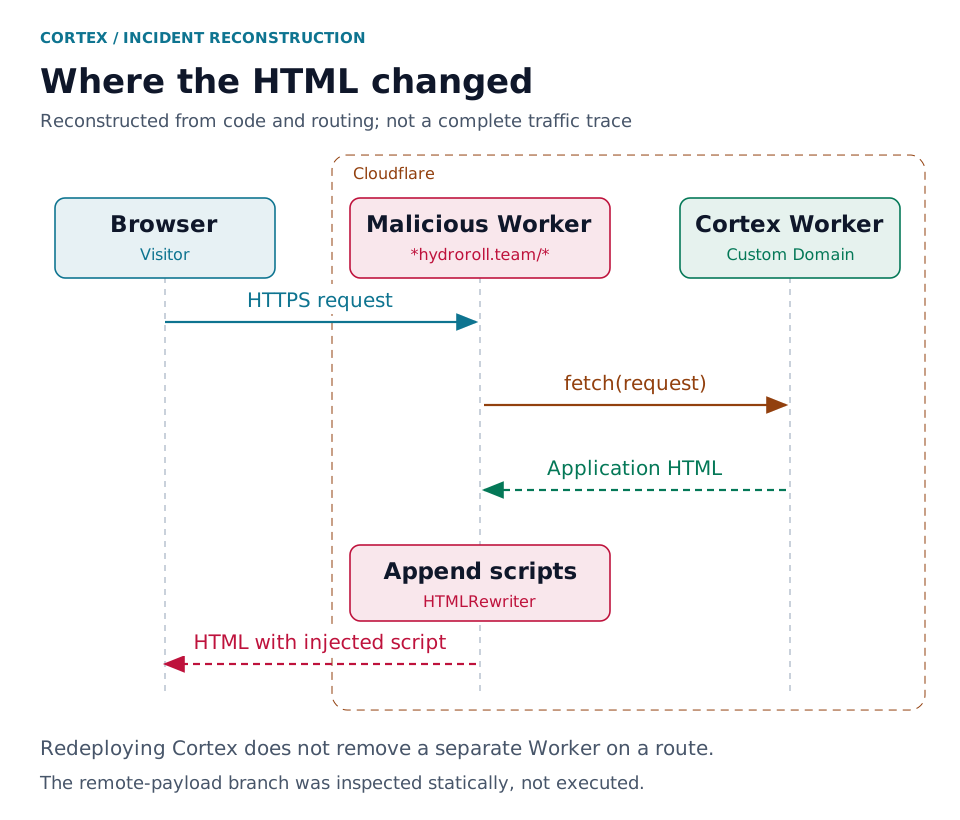
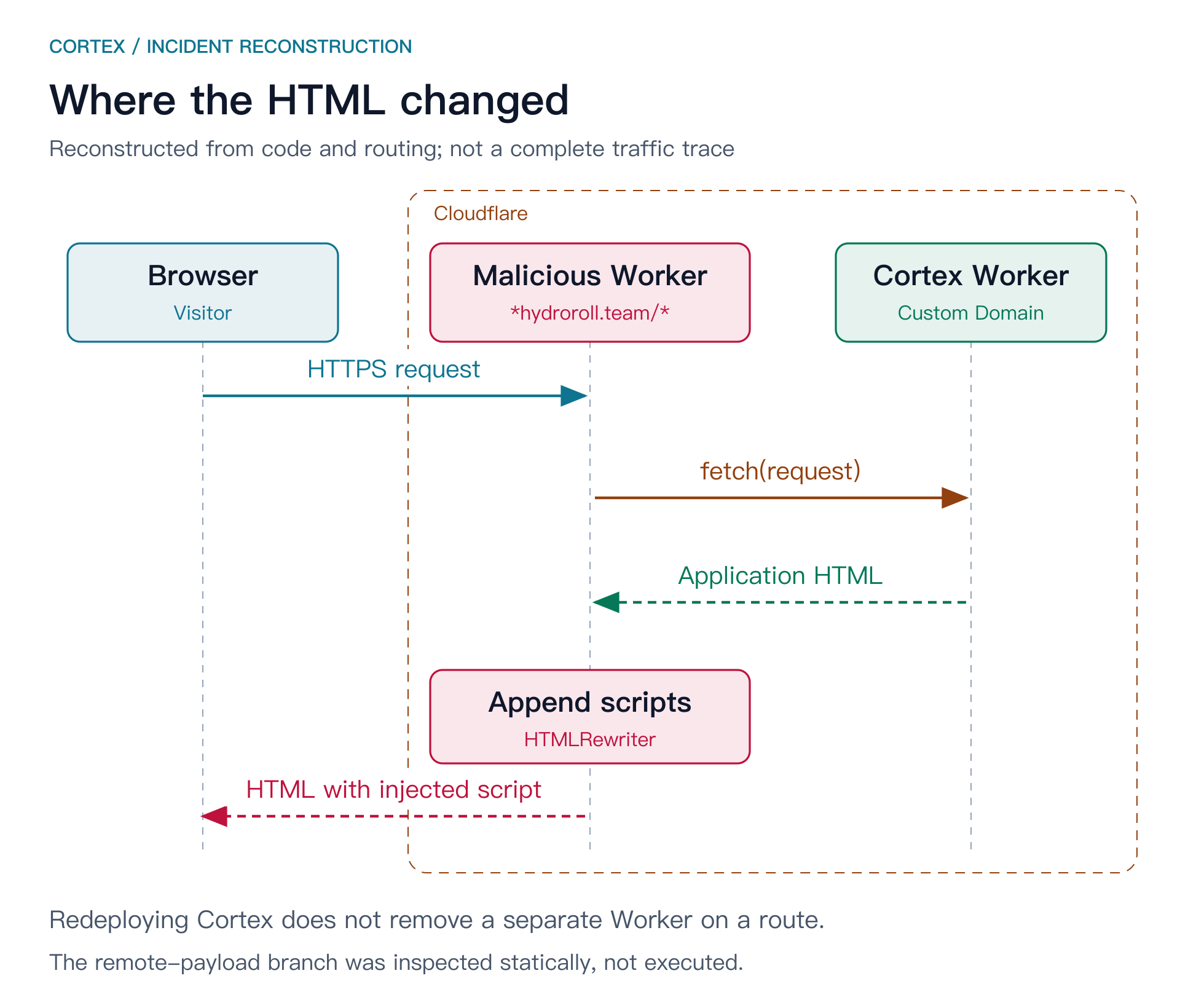
So that was how something could be missing from the repository and still show up in the page: redeploying Cortex only ever updated Cortex. The thing standing in front of it carried on rewriting the responses.
HTTPS was fine the whole time; certificate validation never complained. The rewriting happened inside this account’s own request path, and a certificate has nothing to say about what’s in the page.
(A side note: the Betaflight name in the promo doesn’t mean the open-source flight-controller project had anything to do with this. The domains here are deliberately defanged.)
Keep a copy first
When I found the Worker, the first move wasn’t deleting it—it was saving it. Source and configuration, both. Those files were what I’d need later to explain what had happened; just getting the page fixed wasn’t enough.
The hidden links were done the plain way: headings, text and links pushed into the page, then hidden with off-screen positioning, opacity and the like. That matched what I’d seen live.
But that wasn’t all it did.
- One branch looked at Windows User-Agents, cookies and network ownership—whether a visitor seemed to come from a proxy or a hosting network—before deciding whether to append an external script. The address had a simple XOR on it; decoded, it pointed under
macrium[.]info. - Another handled paths starting with
/_r/, forwarding the request to an external endpoint with some of the original request’s details, plus the client’s IP, country and city. - There was also code to append a PowerShell command. Several filters sat in front of it, though; whether it could ever be reached has to be read in context.
And it knew how to stay quiet: /api, /_next, robots, sitemap and all kinds of static assets were passed straight through, and some clients got only the promo. The API still answered 200, nothing popped up—who would think the HTML had grown a few extra lines?
All of this was static reading and offline string decoding. I didn’t run the Worker locally, and I didn’t fetch or run the external payloads it referenced. The hidden content I saw with my own eyes; the rest is what the source could do, not what it was seen doing.
The sample’s fingerprint, for later comparison:
SHA-256
2659f437dbf42d308d963fd08b9ba7f90ecd8544d403c8deec650bc35f55cc47
Further back in the logs
The code explained how the page was being changed. The next question: who had permission to put it there?
In the account audit, the Worker upload at 11:00 on September 27, the route creation, and the ssl and ipv6 edits right after all hung off the same account API token—hidden-firefly-98c3. Not the token Cortex normally builds with.
I pushed the query window back. It went all the way to September 24.
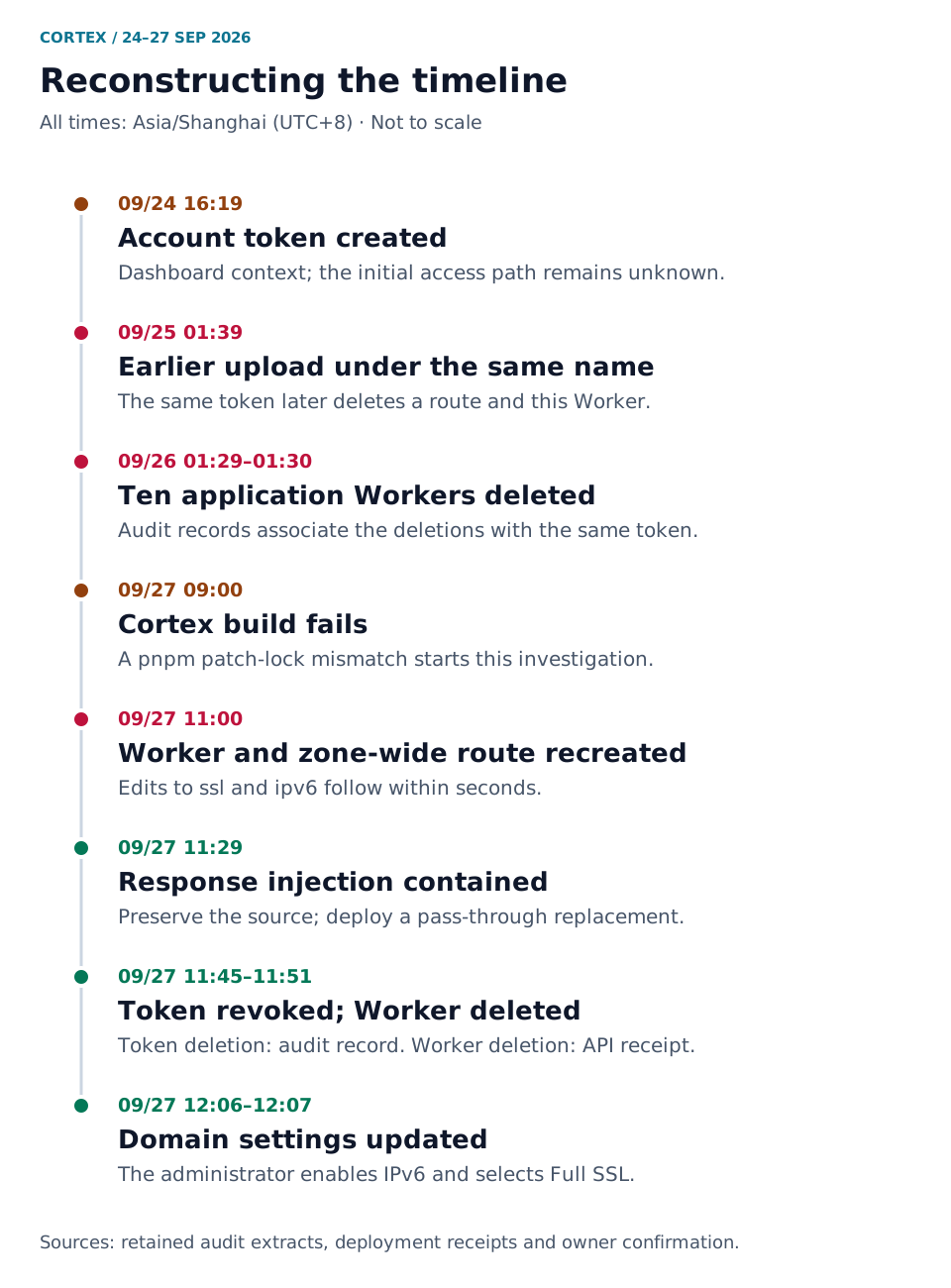
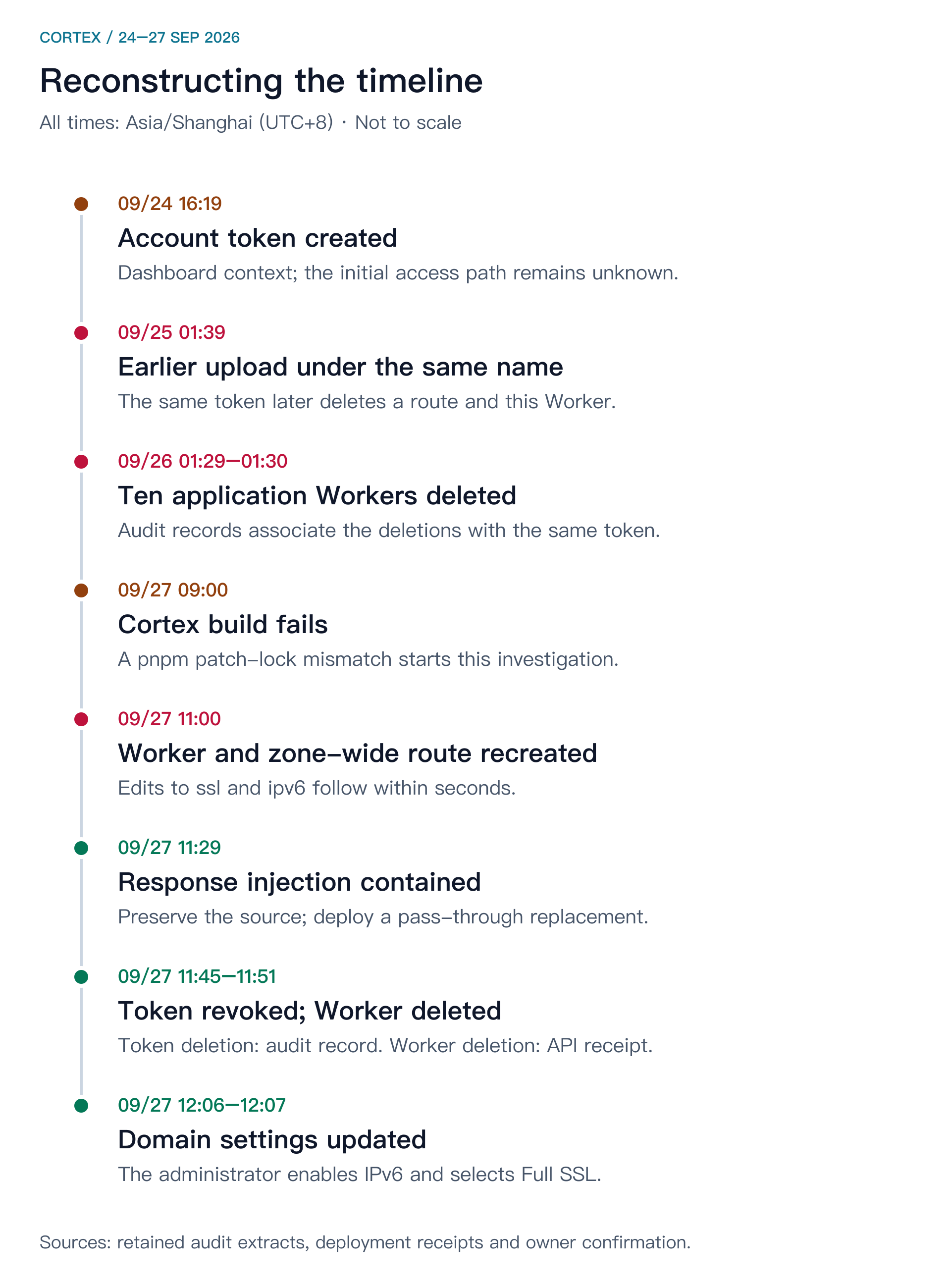
- 16:19 on the 24th: the token was created, in a dashboard context.
- Early on the 25th: it had already uploaded a Worker with the same name, set up routes and changed domain settings. Later that day it deleted the route and the Worker again.
- 01:29–01:30 on the 26th: the same token deleted ten application Workers—the previous Cortex, plus docs, proxy, website, webhook and other services.
That one made me stop for a second. The “deletions” on the 25th were that token too, not some cleanup I’d done and forgotten. The code from that day wasn’t kept, so everything above describes the sample from the 27th; I can’t assume the 25th ran the same thing. There was also an older record of a zone ruleset being deleted, and whatever that ruleset said is gone as well.
By now, the morning’s pnpm error couldn’t explain any of this. It was just where I happened to start looking—there’s no evidence it had anything to do with the attack.
And how did the token come to exist? The audit doesn’t say. The dashboard context and source IPs are leads, but they can’t name anyone, or tell a leaked password from a session or some other grant. Nor is there enough to pin it on a Cloudflare platform vulnerability.
“I can’t find that token”
When it came to actually fixing things, the first wall was permissions.
The deployment credential I had could edit Workers, but not account tokens or Zone routes—every call there came back 403. So I did what I could: at 11:29:38, the malicious Worker’s code was replaced with this—
export default {
  fetch(request) {
    return fetch(request);
  },
};
Same request path, the app still answers, and the rewriting and proxy logic are gone. The Worker was still sitting there, just passing things through.
Then it was my turn in the dashboard to delete the token.
After a lap around the console, my first reaction was: I can’t find that token. A little later, staring at the list in front of me, came the follow-up: which one?
Laid out in an article with names, timestamps and audit records, it looks perfectly obvious. In front of a list of near-identical credential names, it wasn’t.
What I needed was an account-owned token, under Manage Account → Account API Tokens, which is a different page from personal API Tokens.[2] The target was hidden-firefly-98c3; the normal build token had to stay.
- 11:45:36: target token deleted. The audit then showed the matching successful
Delete Tokenrecord and the revocation—after saying “done”, I still went back to make sure it was the right one. - 11:51:28: after confirming the Worker had no app dependencies, resource bindings or custom domains, it was deleted too. The API reported success, the inventory no longer listed it, and refreshing the dashboard said the object didn’t exist.
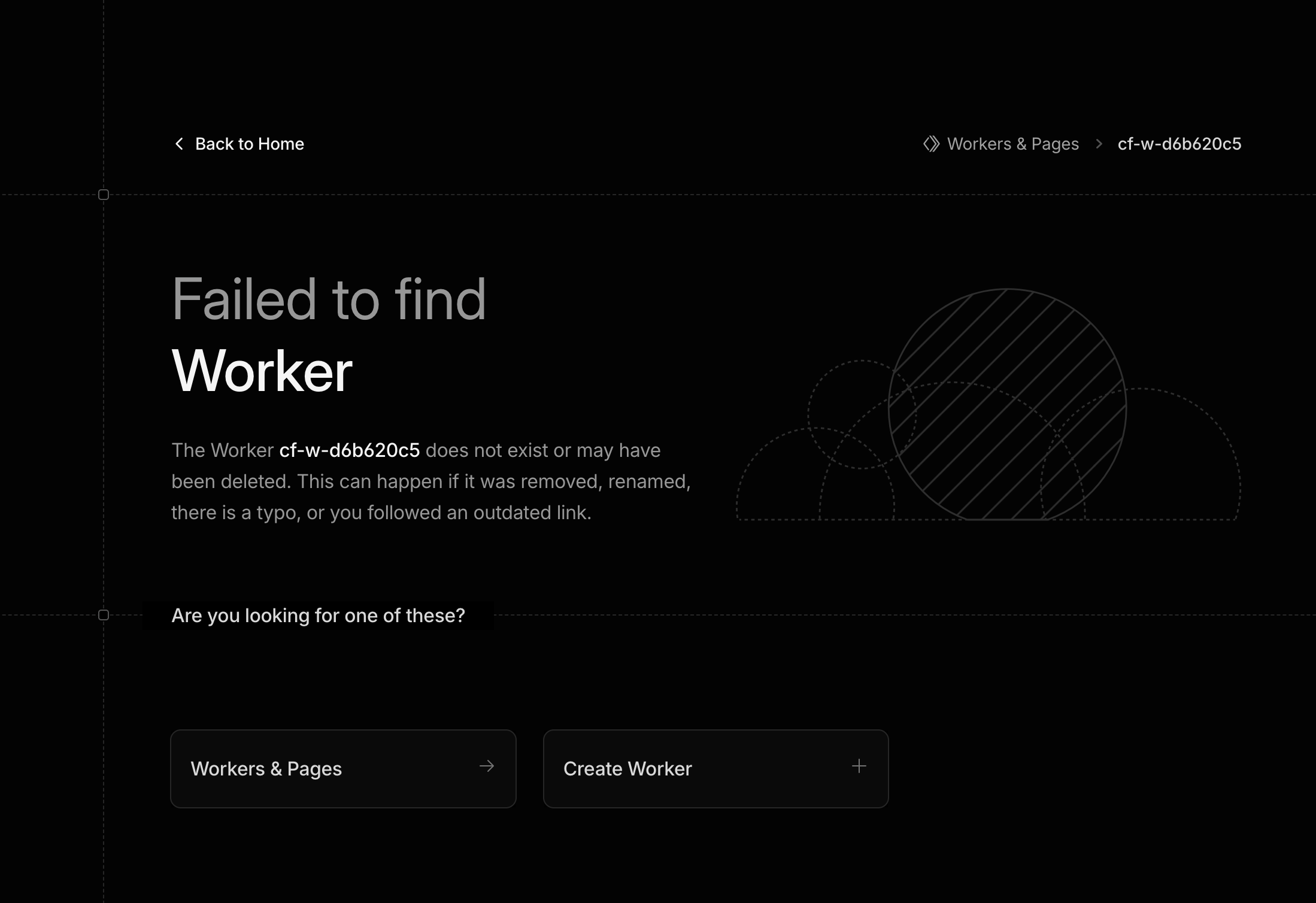
Written up afterwards, this became three tidy steps: contain, revoke, remove. In practice it was: change the code I could change, spend a while hunting for the right page in the dashboard, then go back and check I’d deleted the right things.
Open the page again
After cleanup, I ran the checks again: the Chinese, English and Japanese homepages, plus marketplace, flags and robots.txt, crossed with Mac and Windows User-Agents—twelve requests, all 200, none with those indicators. In the browser, the hidden nodes and their script errors were gone too.
And the original request didn’t get forgotten: local publishing worked, and a real push to dev triggered a successful automatic build and deploy. Only then was the morning’s job actually done.
Afterwards I set SSL to Full and turned on IPv6. The audit has the two edits at 12:06 and 12:07, and DNS started returning AAAA. To keep my local proxy out of it, the last check bypassed it and connected straight to one resolved IPv6 address—Cortex answered 200, TLS validation passed.
(For the record, what those two settings do: Full encrypts the connection to the origin but doesn’t validate its certificate; Full (Strict) does, provided the origin certificate qualifies.[3] IPv6 is, well, IPv6.[4] Neither had anything to do with the injection or the token—those were handled earlier.)
Not done yet
A few things I have to be honest about:
- I didn’t have the permission to list every route in the Zone through the API, and a refreshed dashboard plus a deletion receipt is no substitute for a full account audit;
- what SSL and IPv6 were set to before the attack couldn’t be recovered from the history I had access to;
- the ten deleted application Workers weren’t restored one by one in this repair; how long each was down needs its own logs.
So what I can confirm is limited to this: Cortex’s current deployment, the pages I checked, and real IPv6 access all work. How they got in to begin with, and which visitors hit which script branch—I still don’t know.
From now on, when I ship, I’ll open the public page and look. Source, build output, the HTML actually served: the three have to agree. This time it was the last one that had something extra.
I only meant to fix a deployment. Now every “deployed successfully” needs a page check after it.
Appendix: records and limits
All times are Beijing time (Asia/Shanghai, UTC+8), converted from the original Z timestamps. The account above is assembled from the build logs, API receipts, audit extracts, Worker source, HTML responses and dashboard screenshots saved during the investigation; Figures 1 and 2 are reconstructions from those records, Figure 3 is the original screenshot.
- “Not found” in the table refers only to the known set of injection indicators;
- a broad route doesn’t mean every matching request went down the same malicious branch;
- without complete visitor logs or endpoint forensics, I can’t confirm password theft or device infection, or give an affected-visitor count;
- clearing local env files during the build was a side fix to the deployment config; nothing so far connects it to this intrusion.
A redacted timeline CSV is attached for cross-checking. It’s an extract, not a raw audit export or a third-party forensic report. Full account, Zone and token IDs, email addresses, source IPs, original request contents, API secrets, the complete malicious code and external payloads are not published.
- Cloudflare, Custom Domains: interaction with Routes. This documents the routing mechanism; it does not substitute for incident-specific evidence.
- Cloudflare, Account-owned API tokens.
- Cloudflare, Full and Full (Strict).
- Cloudflare, IPv6 compatibility.
First written on September 27, 2026; narration and wording revised the same day, with no new findings added. Anything learned later about initial access or impact gets its own update date.
Update (2026-10-28): It turned out hydroroll.team wasn’t the only place. Two subdomains under the jyunko.cn Zone—diary and ddl—had the same Betaflight promo stuffed into them. One is served from GitHub Pages, the other from Vercel; both origins were clean, and the technique was identical to the Cortex case. The cause was another rogue Worker and its matching API token sitting in that Zone, which the first round of cleanup never reached. Both have now been deleted, and the pages check out clean again. So that line about not being able to list every route in the Zone—this time it actually cost something.